Admin Tools — Configuration
Everything under Tools & Settings in the admin panel
(/admin/tools): company data, branding, money, tracking numbers,
statuses, catalogs, payments and notifications.
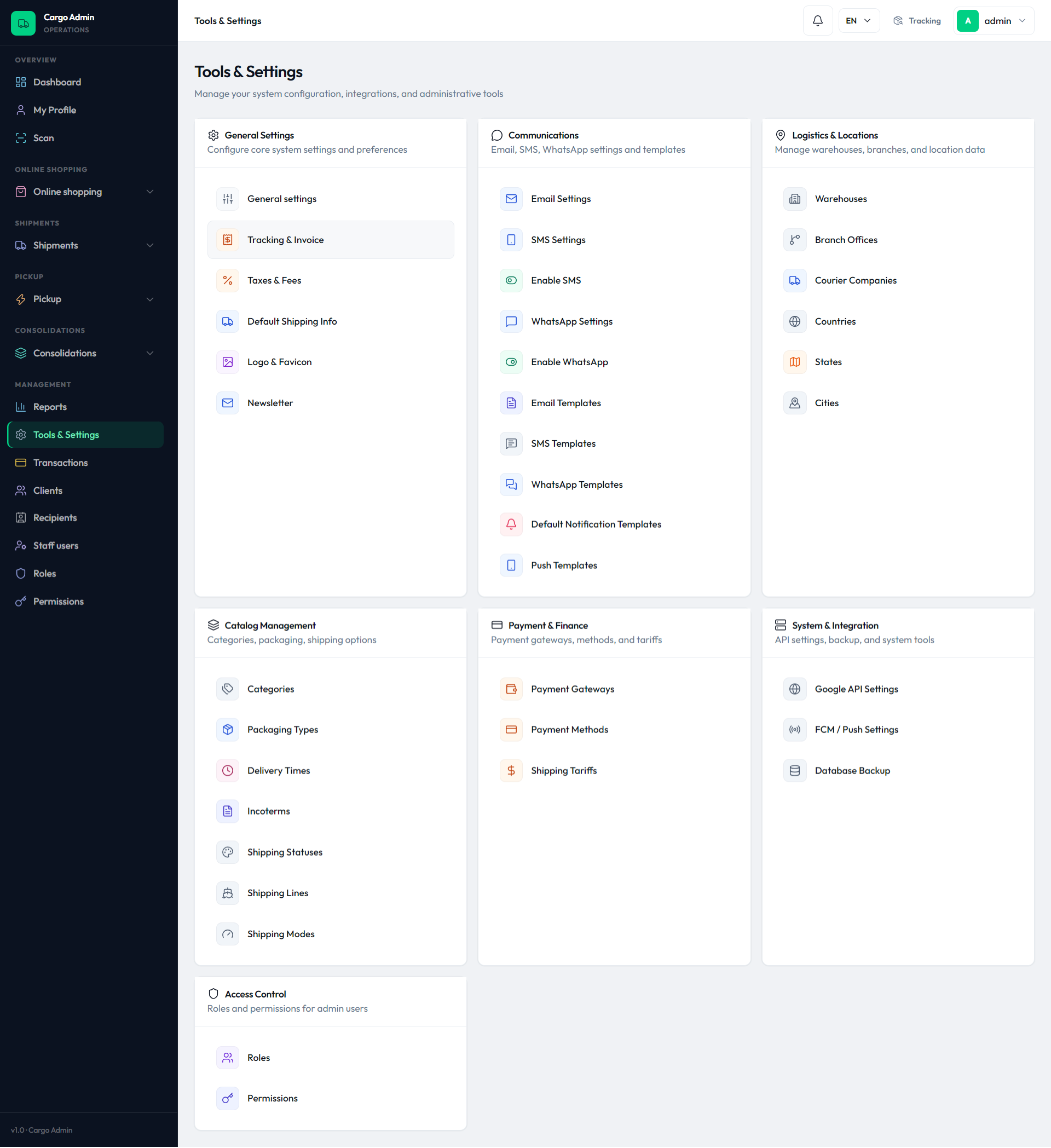
Open the admin sidebar and click Tools & Settings. The landing page
(admin.tools route) shows grouped cards — General Settings,
Communications, Logistics & Locations, Catalog Management, Payment &
Finance, System & Integration and Access Control. Each link only appears
when your role has the matching tools.* permission. Almost every
screen on this page writes to the single settings table row and
takes effect immediately.
General settings
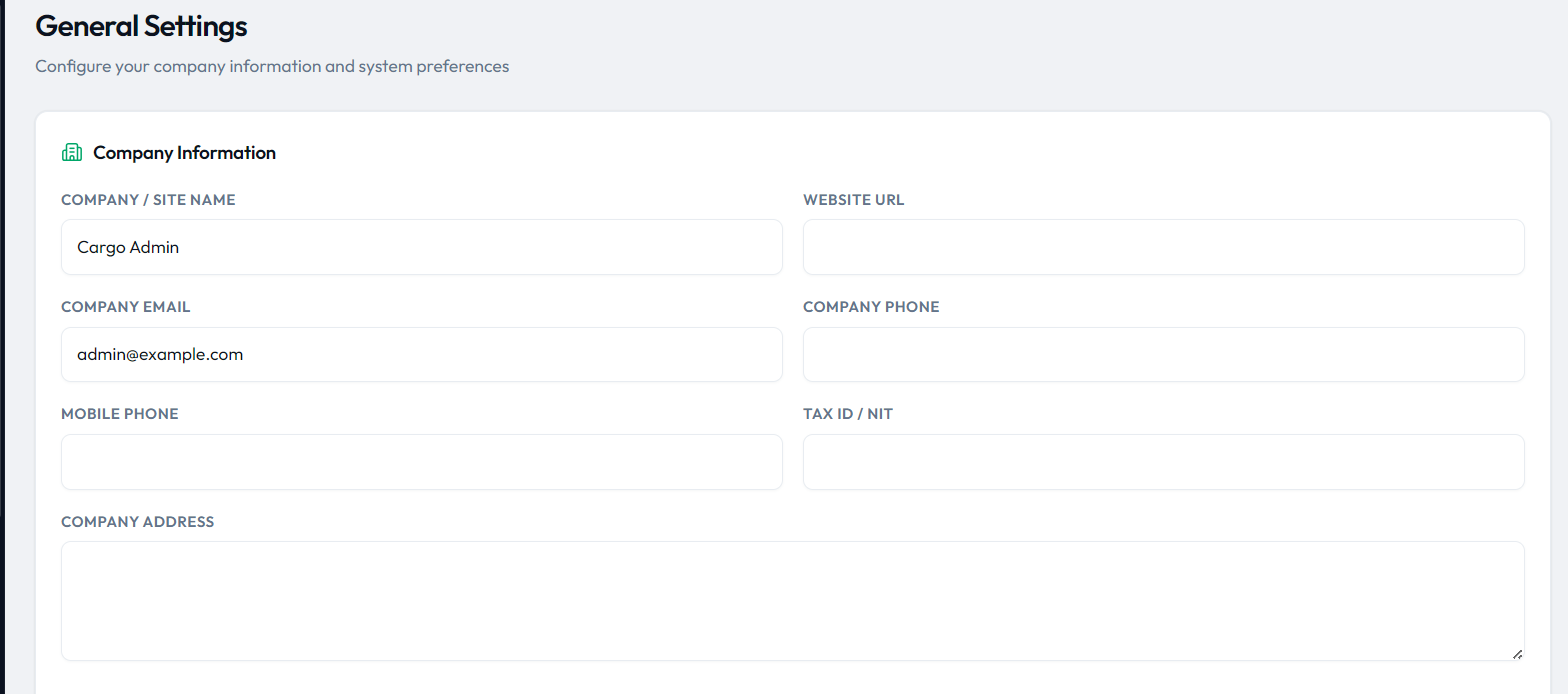
Tools & Settings → General Settings (/admin/tools/settings)
holds company identity, registration rules and locale. Fields saved by
ToolsController::settingsSave():
| Field | What it does | Example |
|---|---|---|
site_name | Company / site name used across admin, emails and invoices | Acme Cargo |
site_url | Public website URL (links in emails and apps) | https://acme.example |
site_email | Company From/reply address | ops@acme.example |
c_phone / cell_phone | Company phone and optional mobile | +1 555 0100 |
c_nit | Tax ID / NIT printed on invoices | 800-123-456 |
c_address, c_city, c_country, c_postal | Company postal address | 1 Harbor Rd |
locker_address | Locker / warehouse address shown to customers | Miami FL 33166 |
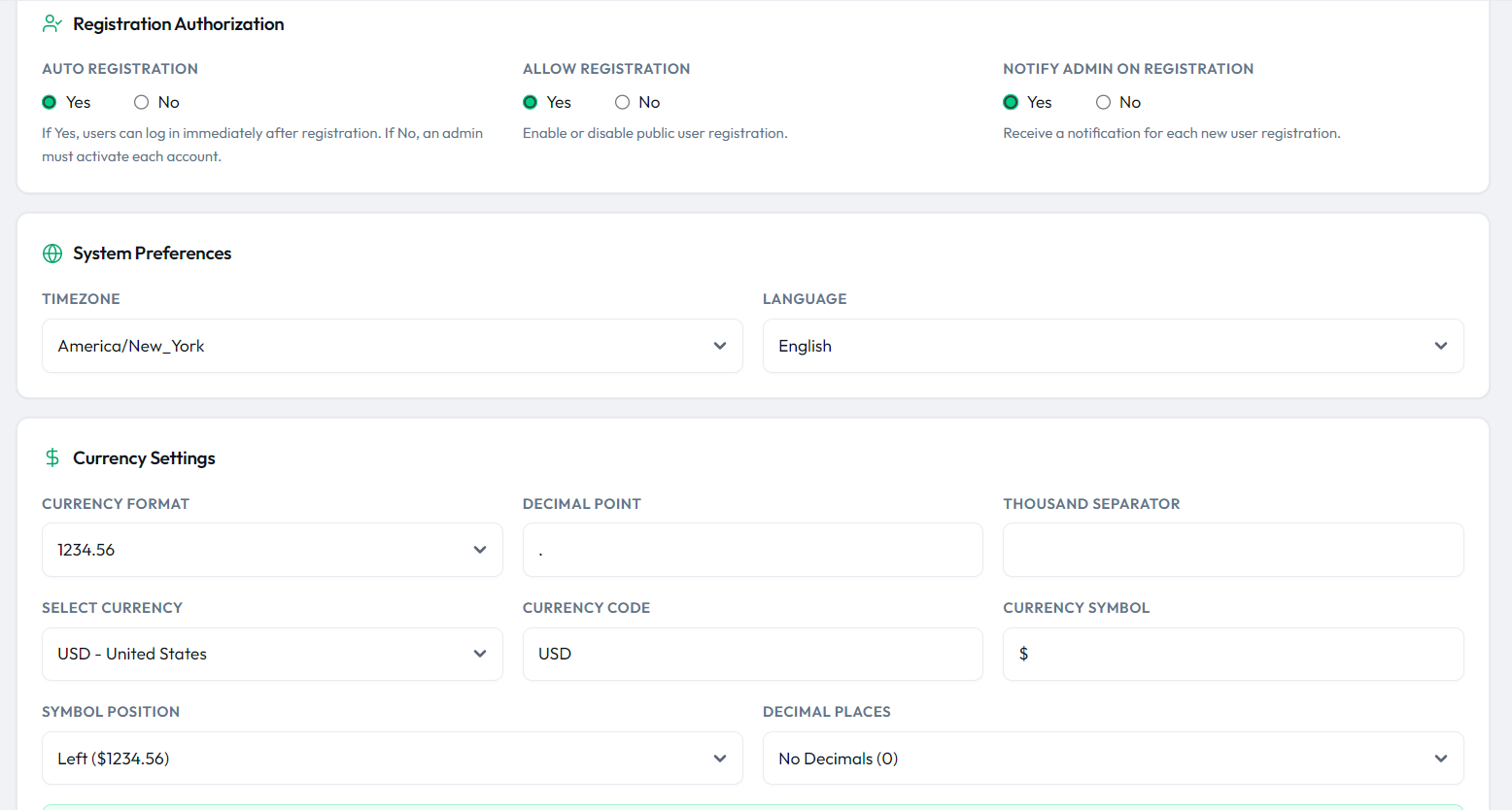
timezone | PHP timezone identifier (select from DateTimeZone::listIdentifiers) | America/New_York |
language | Admin default language: en, es, fr, ar | en |
auto_verify | Yes = users can log in right after registering; No = admin must activate each account | 1 |
reg_allowed | Enables or disables public self-registration | 1 |
notify_admin | Emails an admin on every new registration | 1 |
Currency lives on the same screen. Pick a country from Select Currency
(fed by the countries table, which carries currency and
currency_symbol) or enter a custom currency code and
for_symbol. Currency Format (cformat 1–4) decides
decimal/thousand separators, Symbol Position (for_currency
p/s) puts the symbol left or right, and
Decimal Places (for_decimal) shows 0 or 2 decimals. A live
preview under the fields renders the result, e.g. $1,234.56.
Logo & favicon (where the admin logo comes from)
Tools & Settings → Logo & Favicon uploads three brand files:
logo (admin panel), logo_web (public site) and
favicon. The controller stores them in
public/assets/images/ as <timestamp>_<field>.<ext>
and saves the relative path (e.g. assets/images/1712345678_logo.png)
into the matching settings column. Every layout then renders the
admin logo with asset($settings->logo) — so replacing the file
here is all it takes to rebrand the header. Display size is controlled by
thumb_w/thumb_h (admin) and
thumb_web/thumb_hweb (public); the favicon help text
recommends 45 × 45 px. After a save the controller runs
Cache::forget('settings:row') and view:clear so the
new logo shows instantly. See Branding &
Customization for the full rebranding walkthrough.
Taxes & fees
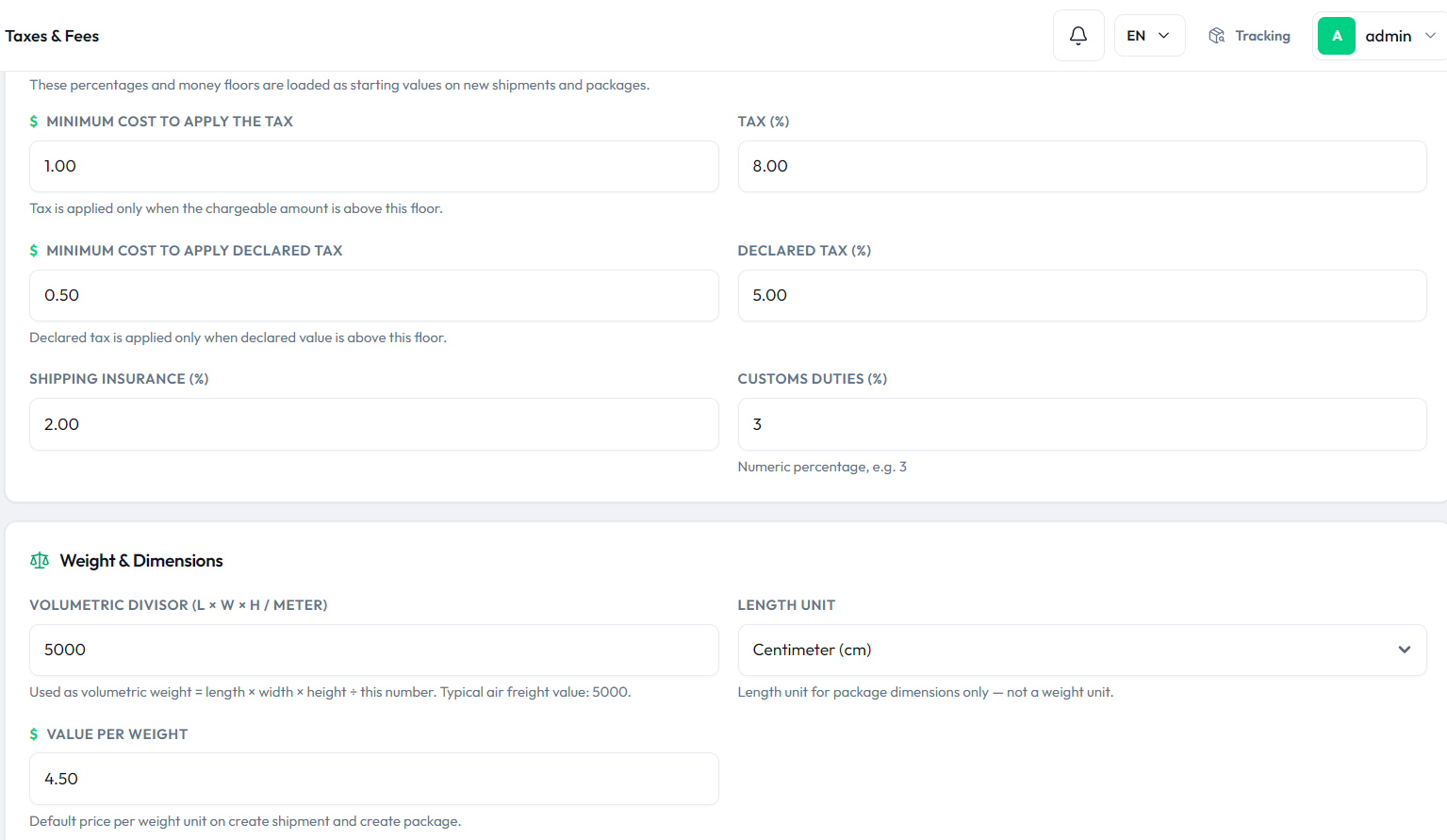
Tools & Settings → Taxes & Fees (/admin/tools/settings/taxes)
defines the money defaults pre-filled on new shipments and packages:
| Field | What it does | Default |
|---|---|---|
min_cost_tax | Tax applies only when the chargeable amount is above this floor | 1.00 |
tax | Tax percentage | 8.00 % |
min_cost_declared_tax / declared_tax | Same idea for the declared-value tax | 0.50 / 5.00 % |
insurance | Shipping insurance percentage | 2.00 % |
c_tariffs | Customs duties percentage | 3 % |
meter | Volumetric divisor: volumetric weight = L × W × H ÷ this number (typical air freight 5000) | 5000 |
units | Length unit for dimensions: cm, m, Pie, in, ft | cm |
value_weight | Default price per weight unit on create shipment / package | 4.50 |
Tracking number prefixes
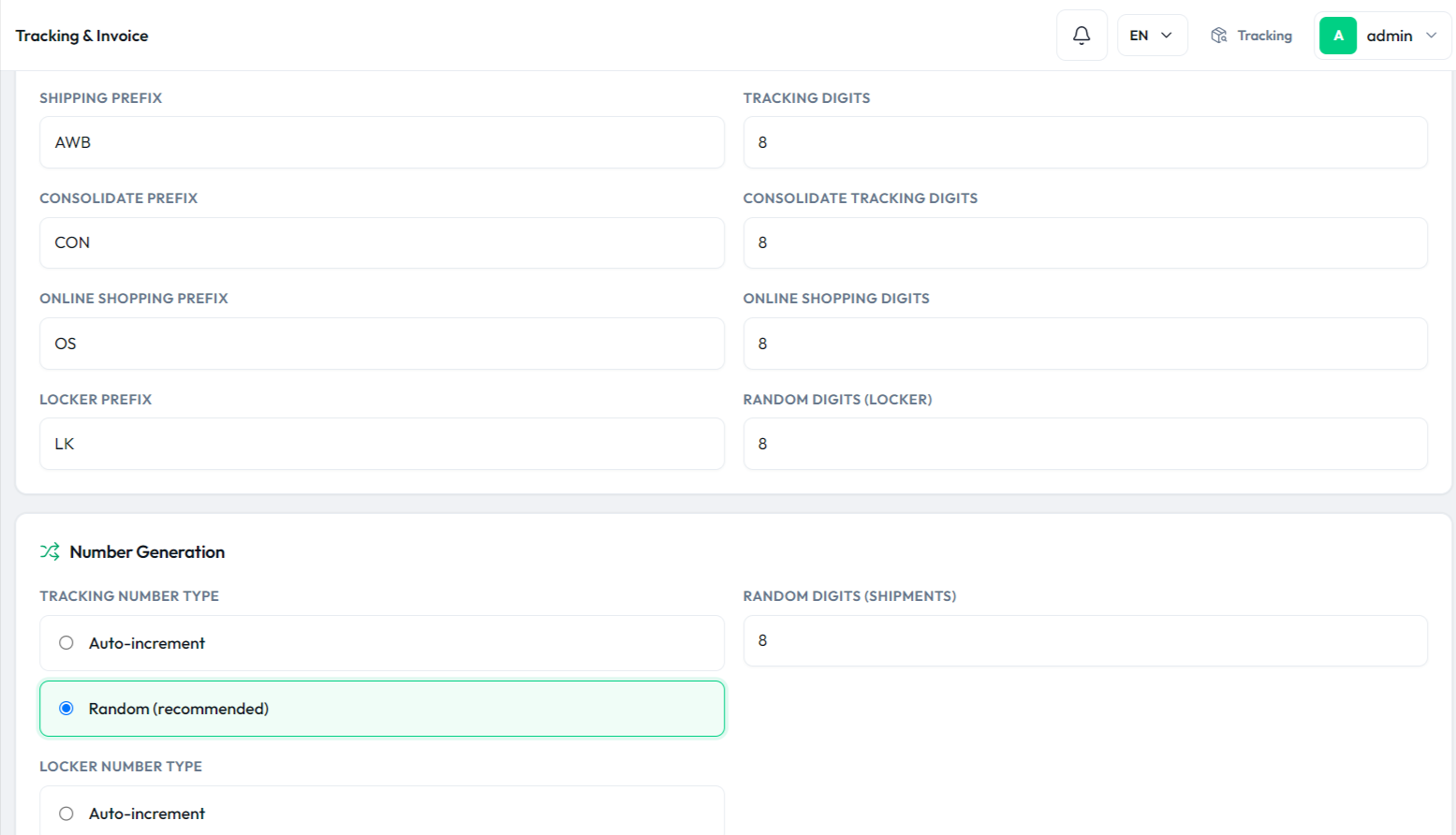
Tools & Settings → Tracking & Invoice controls how tracking
numbers are generated. Prefixes are limited to 20 characters and digit lengths
to 1–10. Exact keys and seeded values (from
database/seeders/SettingsSeeder.php):
| Setting key | What it does | Default |
|---|---|---|
prefix + track_digit | Prefix and digit count for shipment (AWB) tracking numbers | AWB + 8 |
prefix_consolidate + track_consolidate | Prefix and digits for consolidations | CON + 8 |
prefix_online_shopping + track_online_shopping | Prefix and digits for online shopping orders | OS + 8 |
prefix_locker + digit_random_locker | Prefix and digits for locker numbers | LK + 8 |
code_number | Tracking number type: 0 = Random (recommended), 1 = Auto-increment | 0 |
digit_random | Random digit count for shipment numbers | 8 |
code_number_locker | Same switch for locker numbers (random vs auto-increment) | 0 |
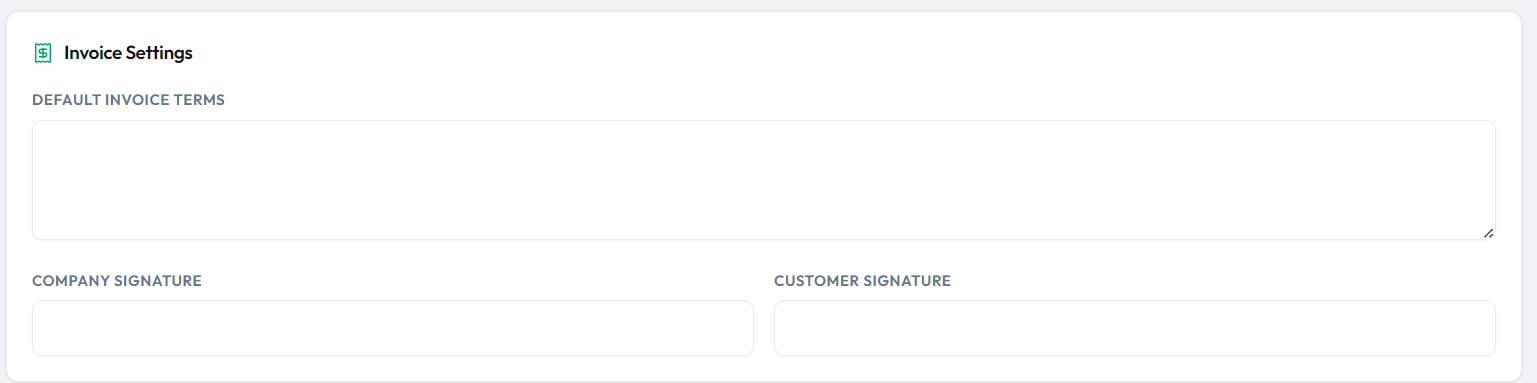
interms | Default invoice terms text block | — |
signing_company / signing_customer | Signature captions printed on invoices | — |
Shipping statuses
Catalog Management → Shipping Statuses edits the styles
table: each row has a status name (mod_style), a description and a
hex color used for badges and timelines. You can freely rename
labels, rewrite descriptions and change colors — the internal code
column stays locked to the system key, and rows with a system code cannot be
deleted (the controller answers “System statuses cannot be deleted. Rename the
label instead.”). Saving flushes the ShipmentStatus label cache so
filters pick up the new name. System statuses seeded with their colors:
| System code | Label | Color |
|---|---|---|
pending | Pending | #f59e0b |
approved | Approved | #00D084 |
in_transit | In Transit | #3b82f6 |
out_for_delivery | Out for Delivery | #8b5cf6 |
on_hold | On Hold | #64748b |
consolidate | Consolidate | #0ea5e9 |
delivered | Delivered | #00D084 |
rejected | Rejected | #f97316 |
cancelled | Cancelled | #ef4444 |
ready_for_pickup | Ready for Pickup | #00D084 |
self_pickup | Self pickup | #14b8a6 |
Catalog: warehouses, agencies, couriers & lists
Simple CRUD lists that feed the shipment forms and the Default Shipping Info screen. All are reached from the Tools landing page:
| Screen (route) | Fields | Used for |
|---|---|---|
Warehouses (admin.tools.offices) | name_off, code_off, address, city, phone_off | Package assignment and self-pickup points |
Branch Offices (admin.tools.branches) | name_branch, branch_address, branch_city, phone_branch | Agencies where customers drop off or collect |
Courier Companies (admin.tools.couriers) | name_com, address_cou, phone_cou, country_cou, city_cou, postal_cou | Last-mile partners on shipments |
Categories (admin.tools.categories) | name_item, detail_item | Item type on shipments/packages |
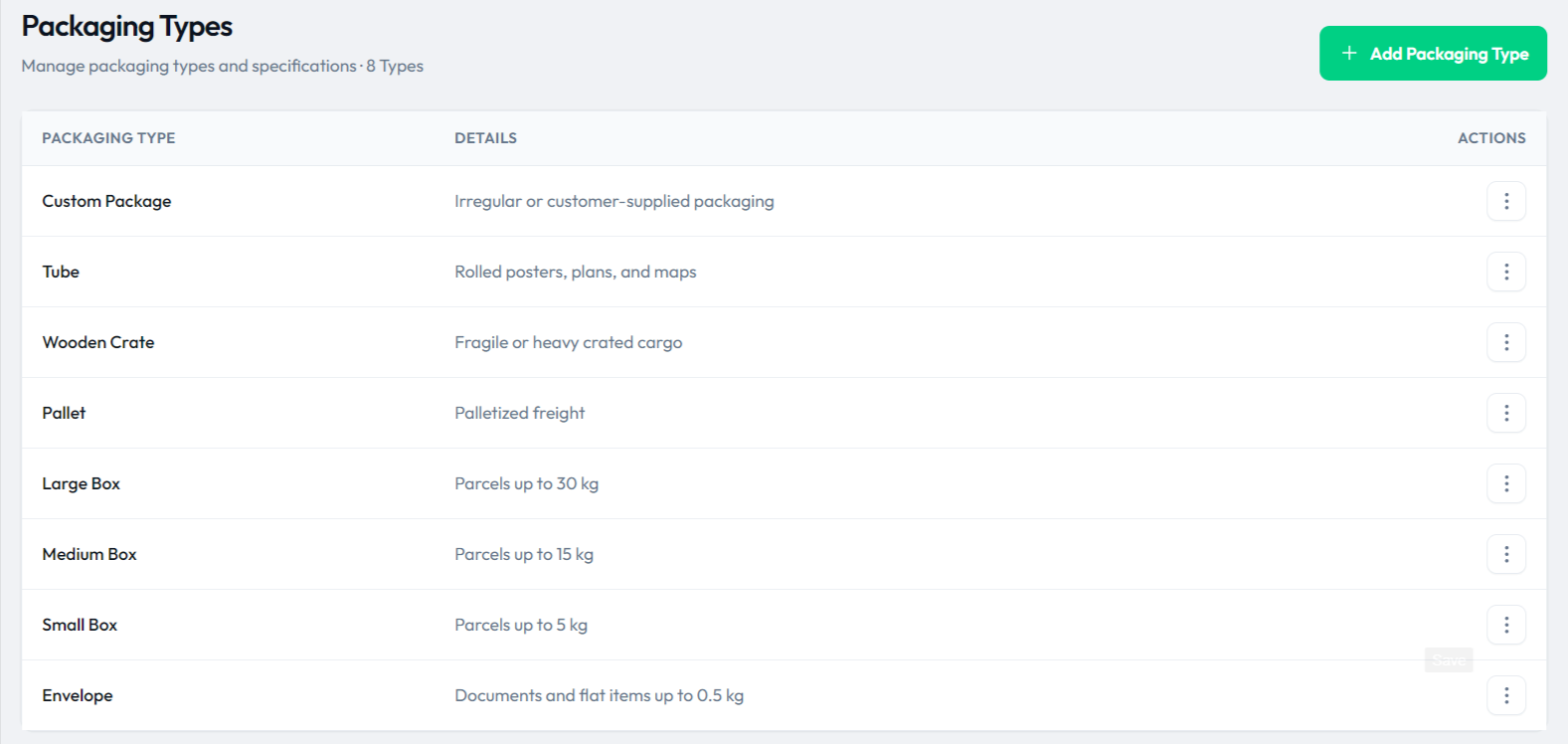
Packaging Types (admin.tools.packaging) | name_pack, detail_pack | Packaging selection |
Shipping Modes (route admin.tools.payment-mode) | ship_mode, detail (table shipping_mode) | Air/sea/ground service level (route name is legacy) |
Delivery Times (admin.tools.delivery-times) | delitime, detail | Estimated transit options |
Incoterms (admin.tools.incoterms) | inco_name, detail | Terms of sale on invoices |
| Shipping Lines / Tariffs | line names; tariffs by route and weight range | Freight pricing |
General Settings → Default Shipping Info then picks one row from each
list (logistics_default1 category, packaging_default2,
courier_default3, service_default4 shipping mode,
time_default5 delivery time, pay_default6 gateway,
payment_default7 payment method, status_default8
status) to pre-fill the Create Shipment form. The default status cannot be
Delivered or Consolidate.
Payment gateways & payment methods
Payment & Finance → Payment Gateways manages six rows in the
met_payment table: cash, paypal,
stripe, paystack, wire and
cod. Each row has an is_active switch on the list
(toggling it POSTs instantly) and a Configure page. Credentials per gateway:
PayPal stores paypal_client_id + secret_key; Stripe
and Paystack store public_key + secret_key; Wire,
Cash and COD have no keys — the instructions/bank-details field is saved into
public_key. The seeder ships cash, wire and COD active, the online
gateways inactive until you add keys.
| Gateway | Required keys | Seeded state |
|---|---|---|
cash | — (instructions only) | Active |
wire | — (bank details in instructions) | Active |
cod | — (instructions only) | Active |
paypal | Client ID + secret | Inactive |
stripe | Publishable + secret key | Inactive |
paystack | Public + secret key | Inactive |
Payment Methods is a different concept: order payment terms in
the payment_methods table — a label plus
days (net terms, 0–365). Seeded rows are Prepaid
(0), Postpaid 15/30/60 day and Payment on delivery.
Row ID 1 is protected and cannot be edited or deleted.
The buyer-facing setup walkthrough (accounts, keys, webhooks, go-live checklist) is on the Payment Gateways page.
Communications
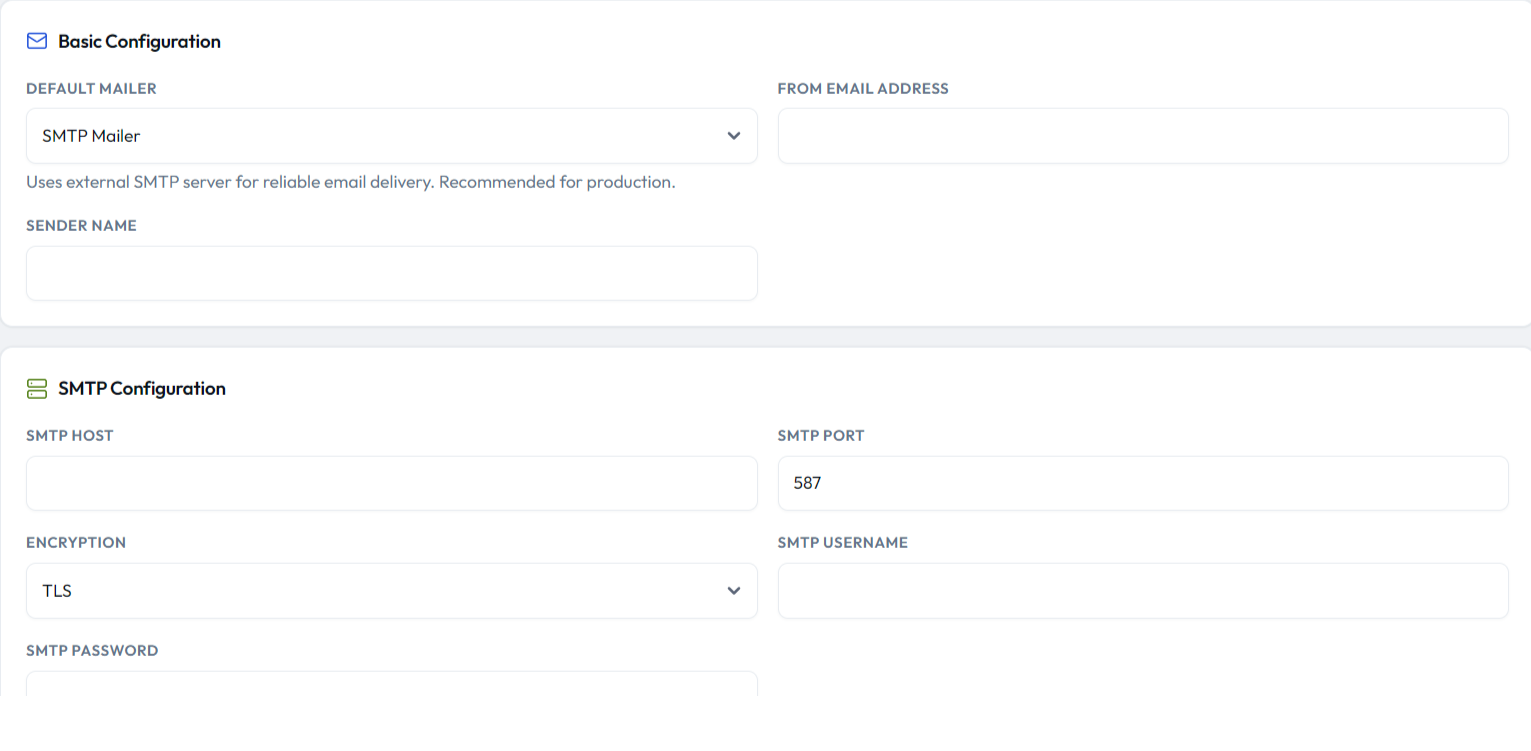
Email Settings (/admin/tools/settings/email): choose
mailer PHP or SMTP, then smtp_names (sender name),
email_address, smtp_host, smtp_user,
smtp_password (left blank = keep current), smtp_port
and smtp_secure (tls or ssl).
Email Templates: one row per event (welcome, shipment created,
shipment update, package shipped/delivered, payment received, pre-alert,
pickup, consolidation…). Each template has a name, subject, help note, HTML
body, optional logo (stored under storage/email-templates/logos
on the public disk), an Active switch, and Send to Roles checkboxes for
customer, admin, driver and
warehouse. Bodies use {curly} placeholders that are
filled at send time — common ones: {user_name},
{tracking_number}, {order_id},
{status}, {datetime}, {amount},
{currency}, {gateway},
{transaction_id}, {link},
{site_name}. Never edit the text inside the braces. The same
editor pattern applies to SMS Templates and WhatsApp Templates
(plain-text bodies, same placeholders).
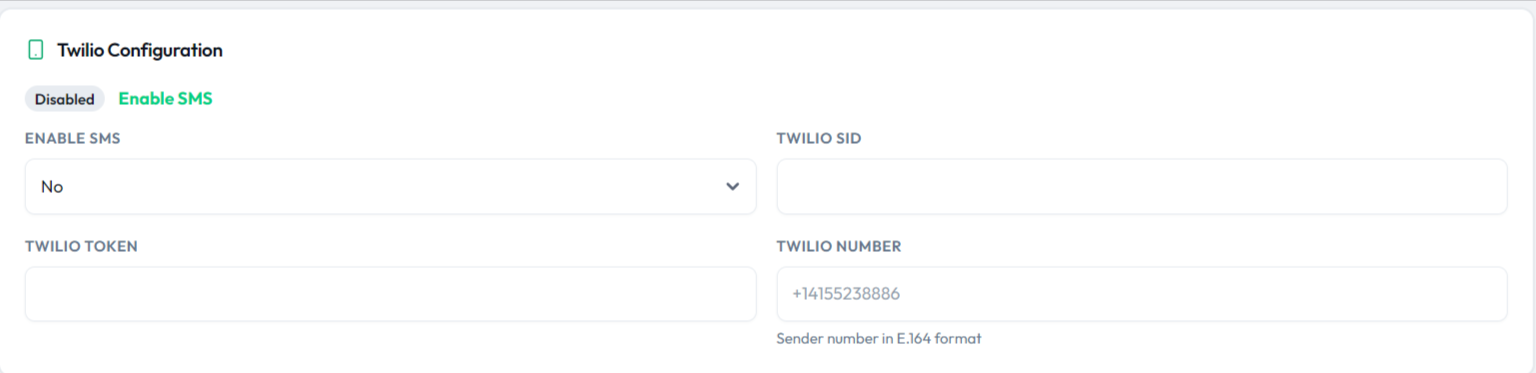
SMS Settings stores Twilio credentials
(twilio_sms_sid, twilio_sms_token,
twilio_sms_number) plus an Enable SMS switch
(active_sms). WhatsApp Settings stores an API URL
(api_ws_url), token and number plus active_whatsapp;
the URL is normalized to end with /. Push Templates and
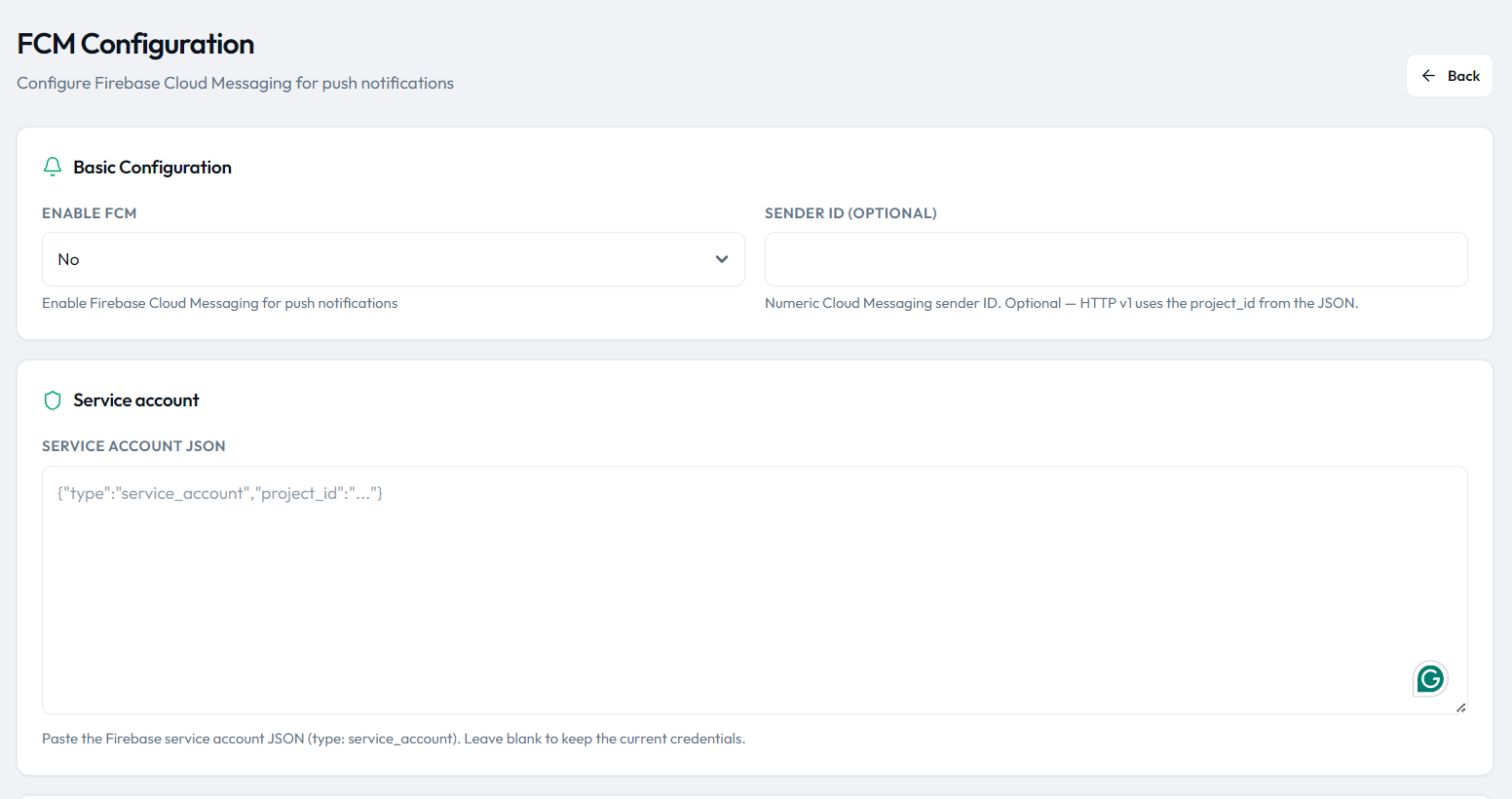
FCM / Push Settings control notifications: enable FCM
(fcm_active), paste the Firebase service account JSON
(fcm_service_account), optionally record a Sender ID
(fcm_sender_id), then hit Test Connection — it POSTs
to /api/tools/fcm/test and sends a real HTTP v1 push to the
first active device token. A VAPID / web-push certificate is not used.
Full Firebase project setup is on the
Firebase & Push page.
Email (SMTP) setup
Open Tools & Settings → Email Settings. Pick the Default Mailer (SMTP is recommended for production), then fill the From email address and Sender name used on every outgoing email. Under SMTP Configuration enter your server's host, port (587 with TLS is the common choice), encryption, username and password — for Gmail/Workspace that is an app password, not the mailbox password. Save, then use the day-one Test SMTP step below to confirm delivery before relying on notifications.
SMS (Twilio) setup
Open Tools & Settings → SMS Settings and switch Enable
SMS to Yes. Paste your Twilio SID and auth token from
the Twilio console, and the Twilio number as the sender in E.164
format (e.g. +14155238886). SMS notifications then use the
SMS templates under Tools → SMS Templates. Twilio is a
third-party service and bills each message on your own account.
Locations
Logistics & Locations → Countries / States / Cities manage the
countries, states and cities tables.
Countries matter twice: they populate address selects, and each row carries
currency + currency_symbol, which is exactly what the
General Settings currency picker reads. Country rows also have an
active/inactive toggle. States belong to a country; cities belong to a state.
Users, roles & permissions
Access Control → Roles / Permissions controls what each admin user
sees. A role has a slug-style name (lowercase letters, digits,
hyphens), a display name, and a checkbox matrix of permissions grouped by
module (groups come from config('permissions.groups')). Permissions
such as tools.settings.manage, tools.catalogs.manage,
tools.payment-gateways.manage or manage.roles gate
both the Tools links and their routes — a user without the permission gets the
“You do not have access to any tools” notice on the Tools page.
Day-one configuration checklist
Set the company name and logo
General Settings: site_name, URL, email and address. Then
Logo & Favicon: upload the admin logo, public logo and favicon
(45 × 45 px).
Configure currency and taxes
Pick the currency from the country list, set format/symbol position, then review Taxes & Fees: tax %, insurance, declared tax, volumetric divisor and value per weight.
Verify statuses and prefixes
Rename any status label or color your operations actually use, and check the AWB/CON/OS/LK prefixes on Tracking & Invoice.
Create a warehouse, agency and courier
Add at least one Warehouse, Branch Office and Courier Company, then set them as defaults on Default Shipping Info.
Enable payment gateways
Decide which of cash / wire / COD stay on, add PayPal / Stripe / Paystack keys for the online ones, and review Prepaid/Postpaid terms.
Test SMTP
Fill Email Settings (host, user, port, TLS) and trigger a password reset or template send to confirm delivery.
Set language and timezone
Choose the admin language (en/es/fr/ar)
and confirm the timezone, then optionally configure SMS, WhatsApp and FCM
(Firebase guide).