Customize the Flutter Apps
The edits every rebrand needs in both mobile apps: the API base URL they call, the color palettes, the display name under the launcher icon, the application id, and the version number.
APP_URL, which the web installer
writes for you.
Point the apps at your server (API base URL)
This is the most important change — without it the apps talk to the
placeholder domain and every request fails. Both apps expect the URL
including the /api suffix, because all endpoint
paths are stored relative to it.
Edit cargoproapp/lib/constants/api_constants.dart —
line 6 holds the constant every request is built from:
static const String baseUrl = 'https://your-domain.com/api';
Put your real domain in, e.g.
https://cargo.acme.com/api. There is no
--dart-define override in the user app — you edit the
constant itself.
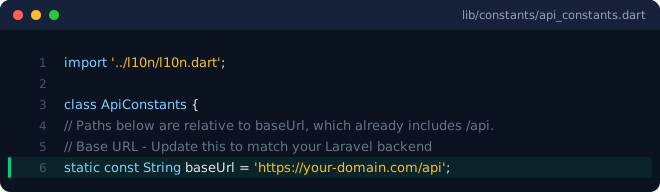
lib/constants/api_constants.dart — the highlighted baseUrl line is the one to edit.Edit cargoprodriver/lib/core/api_config.dart
(lines 9–13). Here the URL is a compile-time override, so you have
two options:
static const String baseUrl = String.fromEnvironment(
  'CARGOPRO_API_BASE',
  defaultValue:
      'https://your-domain.com/api',
);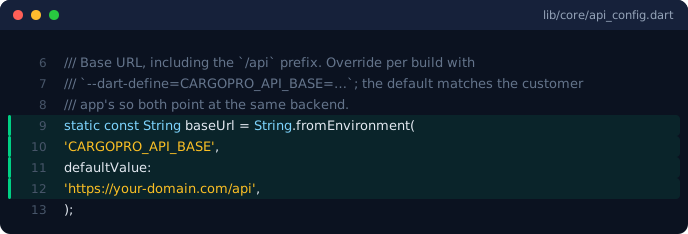
lib/core/api_config.dart — change defaultValue, or override it at build time.- Edit the default — put your domain into
defaultValue, exactly like the user app. - Or pass it at build time:
flutter build apk --release --dart-define=CARGOPRO_API_BASE=https://your-domain.com/api
The flag is easy to forget If you build a release without--dart-define=CARGOPRO_API_BASE=…, the app silently ships with thedefaultValue— and that default points at a domain that is not yours. Prefer editing the default so a plainflutter buildis always correct.
/api suffix, and it must be reachable
from phones — a public domain or LAN IP, never
localhost or 127.0.0.1 (those resolve to the
phone itself).
After editing either file, refresh the build so the new constant is picked up:
flutter clean
flutter pub get
Brand colors
Both apps define their palettes in lib/core/theme.dart as
two CargoColors objects — CargoColors.light
and CargoColors.dark — built from plain
Color(0xFF…) values. Change the hex values and the whole
UI follows.
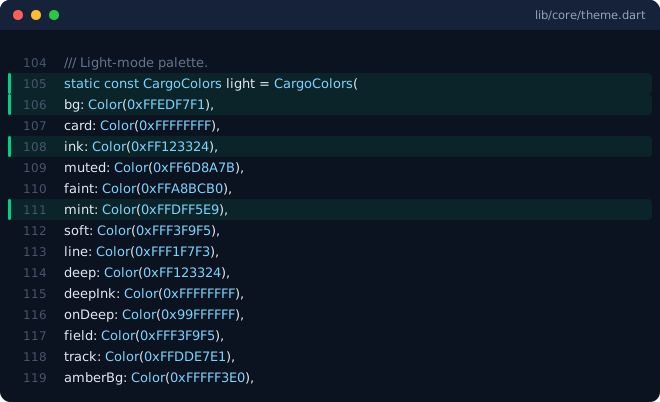
cargoproapp/lib/core/theme.dart — the CargoColors.light palette.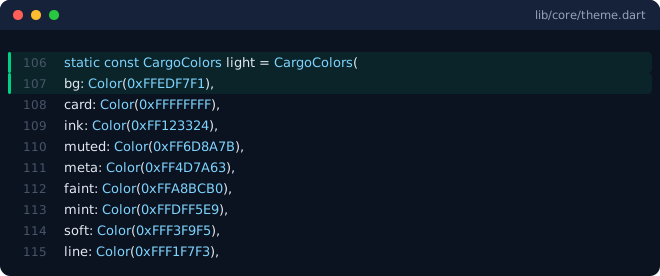
cargoprodriver/lib/core/theme.dart — its own CargoColors.light palette.The fields that carry the brand identity are:
bg— the page background.ink/deep— the dark green used for foreground elements, buttons and headers.mint— the brand tint behind chips, cards and highlights.
Guidance:
- Change both the light and the dark palette, or dark mode ends up with the old brand.
- Keep the palettes consistent across both apps so the two products read as one family (the driver palette is deliberately identical to the customer app's out of the box).
- While iterating,
rhot-reloads the new colors instantly — no restart needed.
AppTheme in the user app,
DriverTheme in the driver app). Both are in the same
lib/core/theme.dart — see
Branding & Customization →
Colors & theme for the exact before/after.
App display name
The display name is what the OS shows under the launcher icon and in the app switcher.
Android: edit android:label in
cargoproapp/android/app/src/main/AndroidManifest.xml
(ships as "CargoPro"):
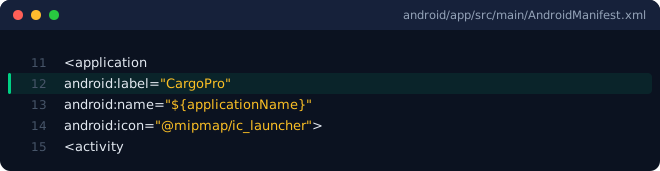
android/app/src/main/AndroidManifest.xml — android:label is the launcher name.Android: the label in
cargoprodriver/android/app/src/main/AndroidManifest.xml
ships as "cargoprodriver" — we recommend renaming
it (for example to "CargoPro Driver"), because that
raw project folder name is what your drivers would see under the
launcher icon. The iOS side already reads
CargoPro Driver, so this also makes the two
platforms match.
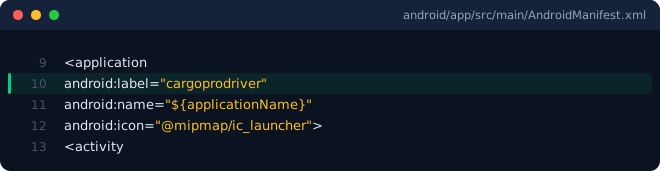
android/app/src/main/AndroidManifest.xml — rename this label to your driver app's public name.iOS: set CFBundleDisplayName in each app's
ios/Runner/Info.plist (shipped values:
CargoPro and CargoPro Driver).
Application ID
The Android applicationId lives in each app's
android/app/build.gradle.kts — the shipped values are
com.devtrixx.cargouser and
com.devtrixx.cargodriver:
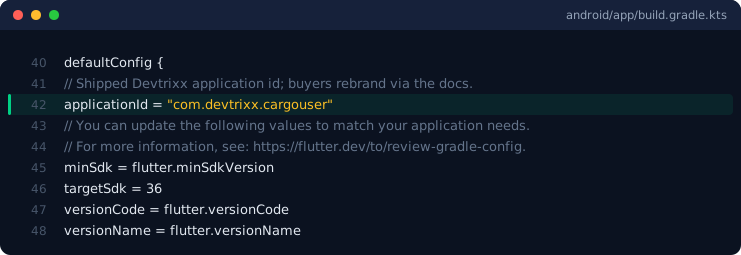
applicationId in android/app/build.gradle.kts — it uniquely identifies your app on the store and on devices.If you publish under your own brand you must change it before registering the apps in Firebase — Firebase locks the package name on first registration.
Android (Gradle + Kotlin package)
Change namespace and applicationId in
android/app/build.gradle.kts. Then move
android/app/src/main/kotlin/<package path>/MainActivity.kt
to match the new package and update its package line —
the file path must mirror the id.
iOS (bundle identifier)
Update PRODUCT_BUNDLE_IDENTIFIER for every
configuration in ios/Runner.xcodeproj/project.pbxproj
(Runner, and RunnerTests if present), or open
ios/Runner.xcworkspace in Xcode and change
Bundle Identifier on the Runner target.
After renaming
Run flutter clean and rebuild. Only then register the
apps in Firebase (Firebase &
Push) — the config files Firebase generates are tied to the
final package name / bundle id.
Logo, icons & splash
Both apps are driven by one master artwork,
assets/logo.png: the in-app brand mark and the splash pick
it up automatically, and the platform launcher icons are regenerated
from it. The full replace-and-regenerate walkthrough (Android
mipmap sizes, iOS asset catalog, web favicon) is at
Branding & Customization →
Change the app logo & icons.
Version number
Each app's version lives in its pubspec.yaml:
version: 1.0.0+1
The part before + is the version name users see
(1.0.0); the number after it is the build
number, which must increase with every store upload. Bump the
build number for each release even if the version name stays the
same.
Check it on a device
After the edits above, build and install both apps, then confirm the branding on the login screens — the first thing your customers and drivers see: